


Phone Tracker & GPS Location
4.4115.00 Reviews
App Specs
- Version
- 2.9
- Updated On
- License
- Free
- Downloads
- 1,000,000+
- Developer
- GPS Tracker & Location Tracker & Phone Tracker LAB
- Categories
- Parenting
- Platform
- Android
Screenshots
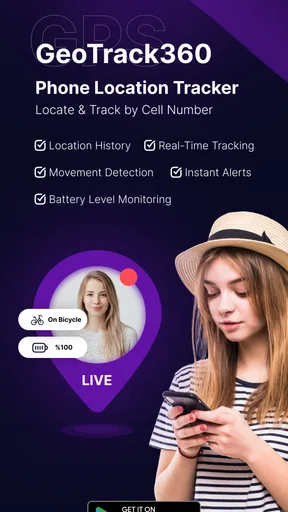
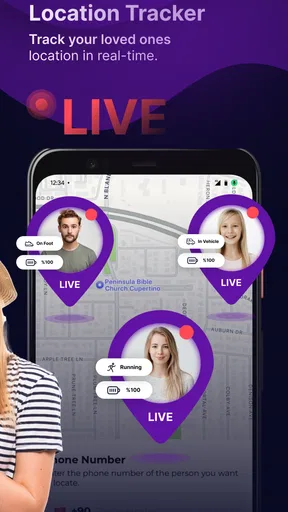
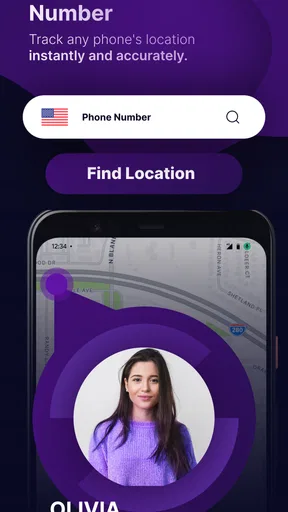
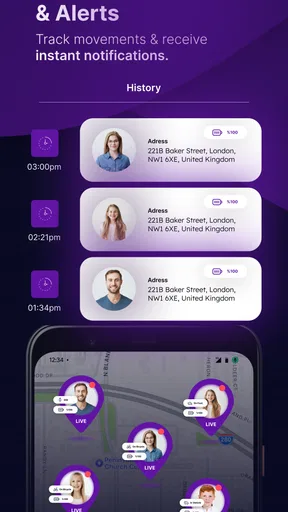
 Analysis by AppCompare
I see the main appeal of Phone Tracker & GPS Location as making shared whereabouts easier to check than a chain of messages. That can be reassuring when a family member is on the way home or friends are trying to meet across town. It is a parenting app from GPS Tracker & Location Tracker & Phone Tracker LAB, and its focus is practical: showing a phone’s location on a map for people who choose to stay connected.
What the free price does—and doesn’t—tell you
The app is free to download, while optional in-app purchases are listed from $5.99 to $49.99 per item. I’d treat that as a reason to try the basic experience before spending, rather than assuming every useful feature is free or that a paid option is necessary. The purchase range alone doesn’t explain which functions are included at each level, so I’d check the in-app details carefully before confirming anything.
That distinction matters for a family deciding whether to use a tracker regularly. Free access makes it easier to test whether everyone is comfortable with location sharing, whether the app fits your routine, and whether its map is useful in the places you actually go. If the experience meets your needs without a purchase, there is no reason to upgrade just because an option appears. If a paid feature is important to you, make sure its price and terms are clear in the app first.
Where the value comes from
In my view, the strongest value is not the map by itself; it’s reducing small coordination hassles. A parent can check whether a child has arrived instead of repeatedly calling, while a group can see where everyone is when a meeting point is hard to describe. The app’s average rating is 4.3 from around 165,000 ratings, and it has over a million installs, suggesting that many people are looking for this kind of convenience. Those figures are useful context, but they don’t guarantee that the app will suit your household or work equally well on every phone.
The app is rated for Everyone and is at version 2.9, with Android 7.0 or newer listed as the minimum system requirement. It was released on June 14, 2024. I’d still check compatibility on the devices each person plans to use before setting up a group, especially if someone relies on an older phone. A tracker is only useful when the people who need to share can run it and agree on how they’ll use it.
Getting Started with Ease
First things first, downloading and setting up Phone Tracker & GPS Location is a breeze. It's available on both Android and iOS, so no one’s left out. Once you've got it installed, the app walks you through the setup process. You’ll need to grant some permissions, which might seem a bit much at first, but it’s all standard stuff for GPS-based apps. The interface? Super intuitive. Even if you're not tech-savvy, you’ll find your way around without any trouble.
Key Features That Stand Out
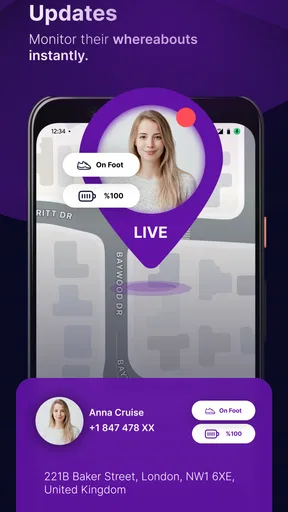
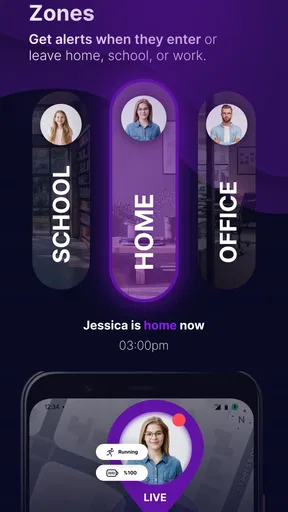
Now, let's dive into what makes this app tick. The primary feature, as you might guess, is real-time location tracking. You can keep tabs on your loved ones and make sure they're safe, all without having to send a million texts asking, "Where are you?" It’s not just about tracking, though. You can set up geofences—think of them as invisible boundaries—and get alerts when someone leaves or enters a specific area. This is particularly handy for parents wanting to keep an eye on their kids.
Worth Reading Before You Choose

Baby Panda World Brings Quick Play to Modern Phones, but Its Game Library Feels Busy

ESPN’s Live Game View Makes Following Close Games Easier

QuizzLand Review: A Good Fit for Short Trivia Breaks, Not Every Player

Basketball Stars: Multiplayer Is Fast, but Can It Recover When Matches Go Wrong?

WEBTOON Turns Phone Updates Into a Better Reading Routine

Link to Windows Runs on Shared Habits, Not Social Feeds
Another neat feature is the location history. Ever wondered where you or someone else has been over the past week? This app has got you covered. It logs locations so you can look back and see where you’ve been. Great for those of us who like to reminisce about past adventures or just keep track of our routines.
Using location features with a clear purpose
I’d set up a small, specific routine before relying on alerts or history. For example, a parent might agree with an older child to use an arrival boundary for the school commute, then explain what the notification means and when it will be checked. That keeps the tool tied to a practical safety need rather than turning it into constant supervision. Boundaries are most useful when they reflect places that matter to your household; too many alerts can become noise, and people may start ignoring them.
Location history can also be more useful as a troubleshooting aid than as a diary. If a family member says a route or pickup was confusing, reviewing the record together may help clarify what happened. I would avoid treating a location trail as proof of someone’s intentions: a phone’s position is not the same thing as a person’s full story, and a misplaced or carried device can make the record misleading. Agree in advance who can view the information and what you’ll use it for.
User Experience and Interface
The design of Phone Tracker & GPS Location is sleek and minimalistic, which I personally love. It doesn’t bombard you with unnecessary options or ads. Everything is where it should be, making navigation a piece of cake. The real-time location updates are generally accurate, and the app uses minimal battery, which is a huge plus. No one wants an app that drains your phone faster than you can say "Where are you?"
What to expect from a live map
A map position is a helpful snapshot, not a promise that someone is standing exactly on the pin. Buildings, crowded streets, and weak GPS reception can affect location quality, so I’d use the display to answer broad questions—such as whether someone is near the agreed meeting area—rather than to make fine-grained decisions. If an update looks stale or surprising, a quick call or message is still the sensible next step.
There is also a practical setup trade-off: people have to keep the phone with them and allow location access for sharing to work. Before a trip, I’d check that each person has finished setup and understands how to pause sharing. That simple check can prevent a stressful moment when one person expects the map to update and another thought sharing was switched off. Battery use and accuracy can vary with phone settings and local conditions, so I wouldn’t make the app the only part of a safety plan.
Privacy Concerns Addressed
Of course, with any tracking app, privacy is a big deal. You might be wondering, "Is my data safe?" The developers seem to take this seriously. Data is encrypted, and you have control over who can see your location. Plus, you can easily disable location sharing whenever you want, which gives you that extra peace of mind.
Consent is part of the setup
For family use, I think the conversation around sharing matters as much as the settings. Explain who will be able to see a location, why you want to share it, and when it is reasonable to turn sharing off. With children, the right balance depends on age and circumstances; a transparent agreement is more constructive than presenting tracking as invisible monitoring. For adult friends or relatives, get their clear agreement rather than trying to locate someone without their knowledge.
If your priority is minimizing location sharing, a phone’s built-in location-sharing controls may be a better fit, particularly if you already use them and only need occasional check-ins. If you need the combination described here—live map, boundaries, and location history—this app may be worth trying, but I’d compare the actual setup and purchase options with your needs before moving a whole household over. The best choice is the one everyone understands and is willing to use.
Real-Life Applications
So, how does this app fit into everyday life? Well, for starters, it’s a lifesaver for parents. Keeping track of kids without being overbearing is a fine balance, and this app helps achieve that. For the adventurers among us, sharing your location with friends can be a great way to ensure safety when hiking or traveling solo. And let’s not forget about coordinating meet-ups with friends—no more getting lost or calling to ask where everyone is.
One cool thing I found was using it to track my own jogging routes and times. It’s like having your own personal logbook without any extra effort. Whether it’s for safety, convenience, or just plain curiosity, the uses are pretty much endless.
A realistic routine, and when another option is better
Picture a busy weekday: a child takes the usual route home while a parent is still at work. Instead of sending repeated “Are you there yet?” messages, the parent can check the map and use an agreed arrival boundary as a prompt to follow up if needed. The child knows the arrangement, and the parent treats the alert as a helpful cue rather than a substitute for conversation. That is where I see this app working best: for predictable routines where a location check can reduce friction.
For a one-off meetup, a temporary location share in a messaging app may be simpler than asking everyone to install another tracker and configure ongoing access. For people already invested in their phone’s built-in family tools, those may be more convenient too. On the other hand, someone who wants a dedicated map and the listed boundary and history functions may prefer a focused tracker. I’d choose based on the routine, not on the assumption that more tracking is automatically better.
I would skip this kind of app if the people involved don’t consent, if you need guaranteed pinpoint accuracy, or if you expect a location map to replace direct communication. It is also not a good fit for someone who only wants to find a lost phone once; the family-sharing approach is aimed at ongoing coordination, not simply a one-time recovery task. Those expectations can save you from adopting a tool that adds more management than it removes.
Final Thoughts
All in all, Phone Tracker & GPS Location is a solid choice for anyone in need of a reliable tracking app. It’s user-friendly, packed with useful features, and is perfect for both casual users and those who need something a bit more robust. While there are always improvements to be made—like enhancing the accuracy in areas with spotty GPS signals—it’s definitely worth checking out if you’re in the market for a dependable location-sharing app.
If you’re curious to give it a try, you can find it on both the Google Play Store and the App Store. Happy tracking!
My buy-or-skip take
I’d try it if my household wanted an agreed way to check arrivals, coordinate meetups, or share a location during a journey, and I’d begin with the free access before considering an in-app purchase. I’d skip it if location sharing would create tension, if a built-in phone feature already handles the job, or if I needed a guarantee that every map update would be exact. Its value depends less on how often someone watches the map and more on whether it replaces a real, recurring hassle.
My bottom line is that this parenting-focused tracker makes the most sense as a shared convenience with clear boundaries. Decide who needs access, set only the locations and alerts that serve a real purpose, and check the purchase details before paying for anything. Used that way, it can make everyday coordination calmer; treated as a substitute for trust or conversation, it is the wrong tool.
Pros
- Accurate real-time location tracking.
- User-friendly interface and navigation.
- Low battery consumption during use.
- Multiple device tracking capability.
- Customizable alerts and notifications.
Cons
- Requires constant internet connection.
- Limited features in free version.
- Potential privacy concerns for users.
- Occasional lag in location updates.
- Compatibility issues on older devices.
FAQs for Phone Tracker & GPS Location
How accurate is the GPS tracking feature in Phone Tracker & GPS Location?
The GPS tracking feature in Phone Tracker & GPS Location is highly accurate, providing real-time location updates. However, the accuracy can vary depending on the device's GPS signal, network connectivity, and environmental factors such as tall buildings or dense forests that might obstruct signals. Users typically find it reliable for most everyday tracking needs.
Does Phone Tracker & GPS Location drain battery quickly?
Like many GPS-based applications, Phone Tracker & GPS Location can impact battery life, especially when used continuously. However, the app is optimized to minimize battery usage. Users can manage battery consumption by adjusting location update frequency in the settings. It's advisable to keep an eye on battery levels during prolonged use.
Is my personal location data secure with Phone Tracker & GPS Location?
Phone Tracker & GPS Location prioritizes user privacy and data security. The app uses encryption to protect your location data and offers options to control who can see your location. Users should review the app’s privacy policy and adjust their sharing settings to ensure their information is only accessible to trusted individuals.
Can I use Phone Tracker & GPS Location without an internet connection?
Phone Tracker & GPS Location requires an internet connection to transmit real-time location data to other users. However, the app can still record your location history without an internet connection, which will be uploaded and synced once a connection is reestablished. For best performance, a stable internet connection is recommended.
What devices are compatible with Phone Tracker & GPS Location?
Phone Tracker & GPS Location is compatible with most Android and iOS devices that have GPS functionality. Users should ensure their device’s operating system is updated to the latest version to avoid any compatibility issues. Detailed compatibility information is available on the app's download page, ensuring a smooth installation process.


